



01
Dashboard
Your net worth, instantly
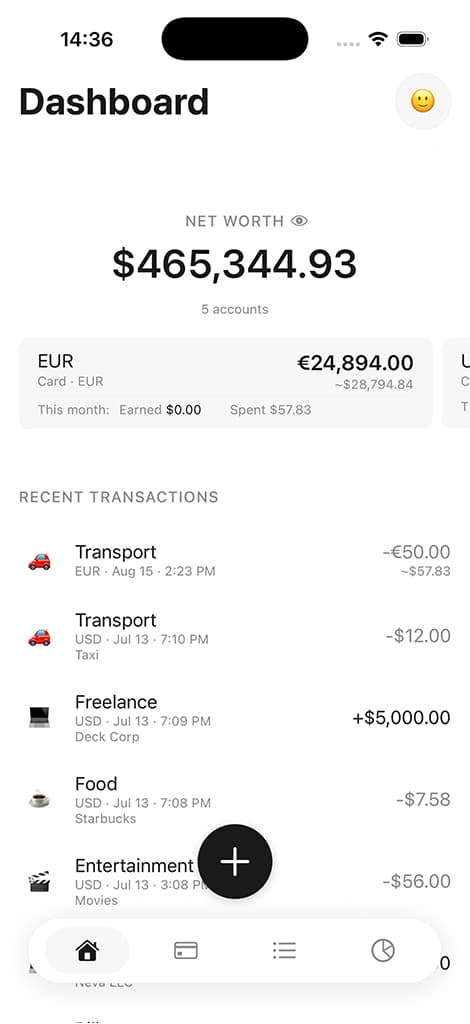
Net worth with hide-balances toggle, swipeable account cards (by recent usage), and five recent transactions.
0
Bank connections required
100%
Offline-capable
Multi
Currency & asset support
iCloud
Optional sync across devices
Features
Scroll to explore each screen — net worth, accounts, subscriptions, and more.
Dashboard
Net worth with hide-balances toggle, swipeable account cards (by recent usage), and five recent transactions.
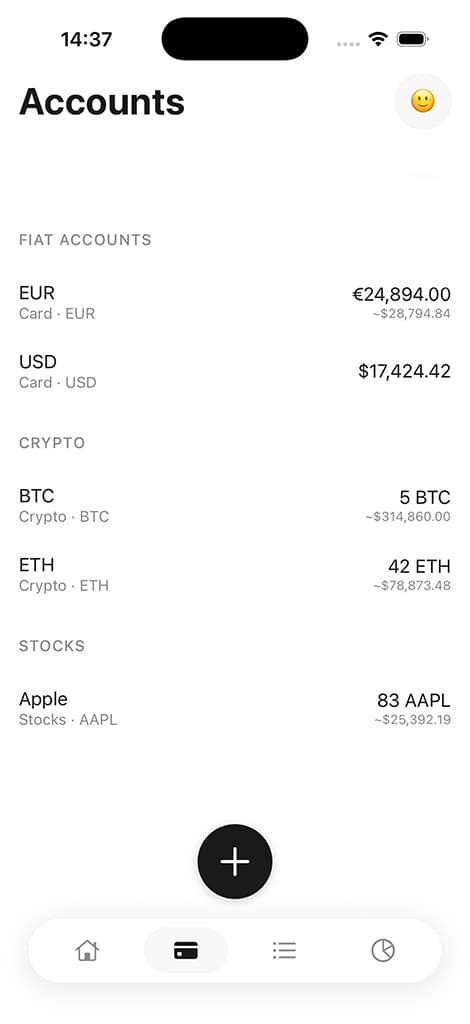
Accounts
Card, cash, savings, crypto, and stocks — balances, live equivalents, and sorting by name, amount, or custom order within each group.
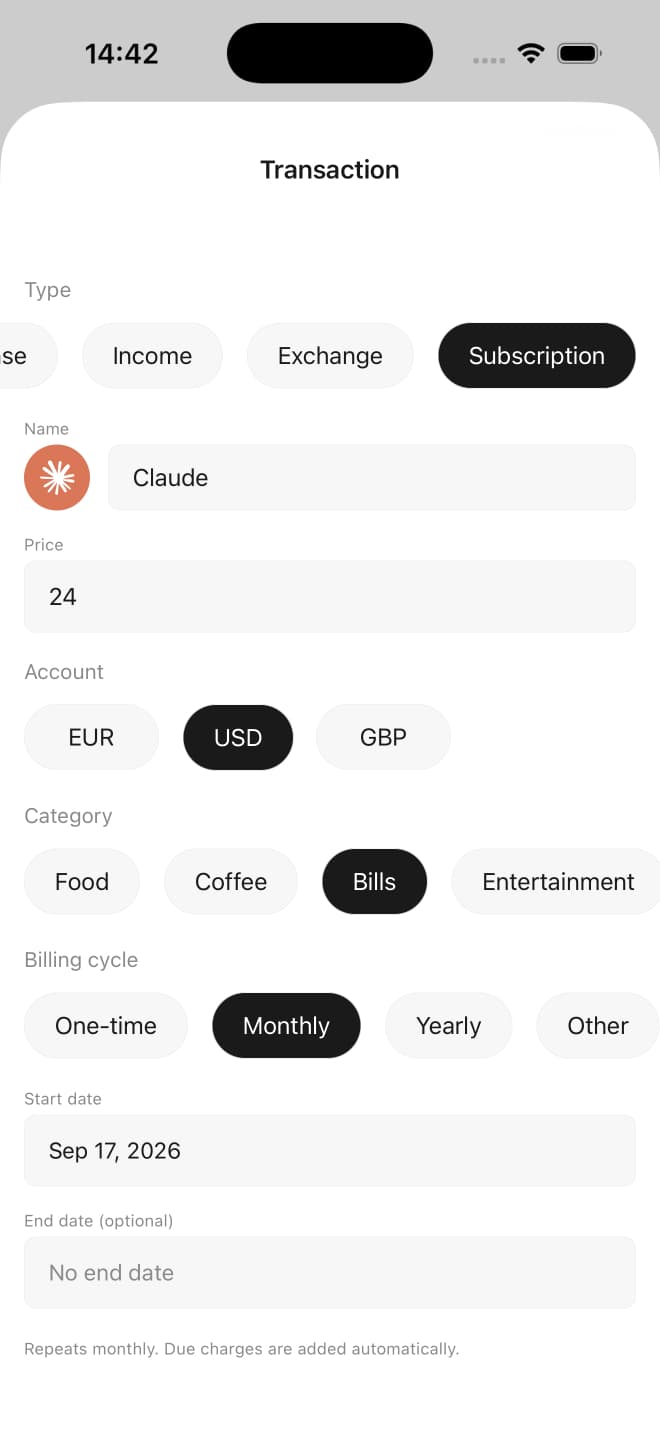
Subscription
Name, price, account, category, and billing cycle. Due charges are added automatically. Stop anytime — past charges stay.
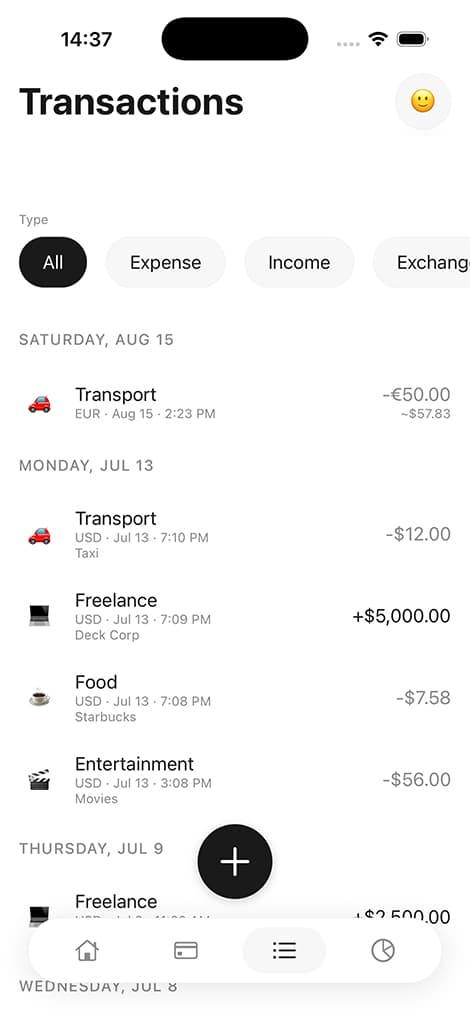
Transactions
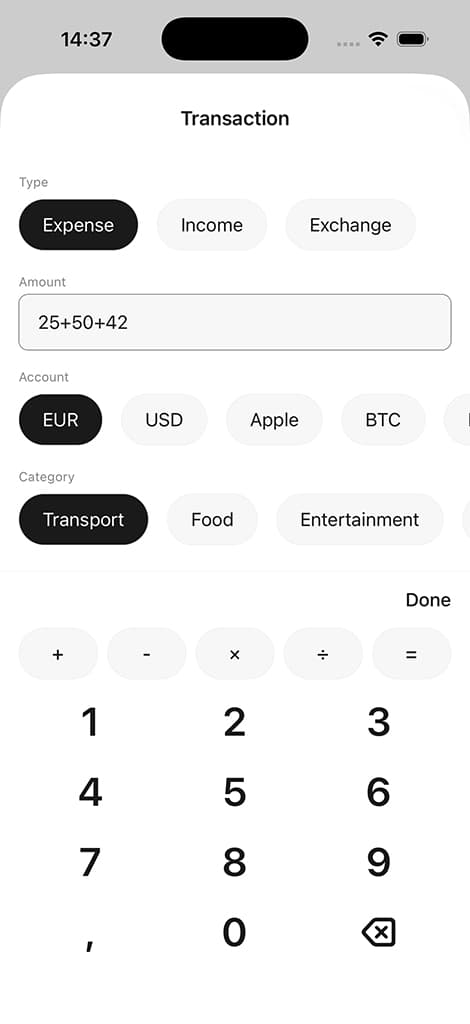
Income, expense, transfer, exchange, and subscription entries. Swipe left to delete. Built-in calculator, category, date, and notes.
Transaction
Built-in calculator; income, expense, transfer, exchange.
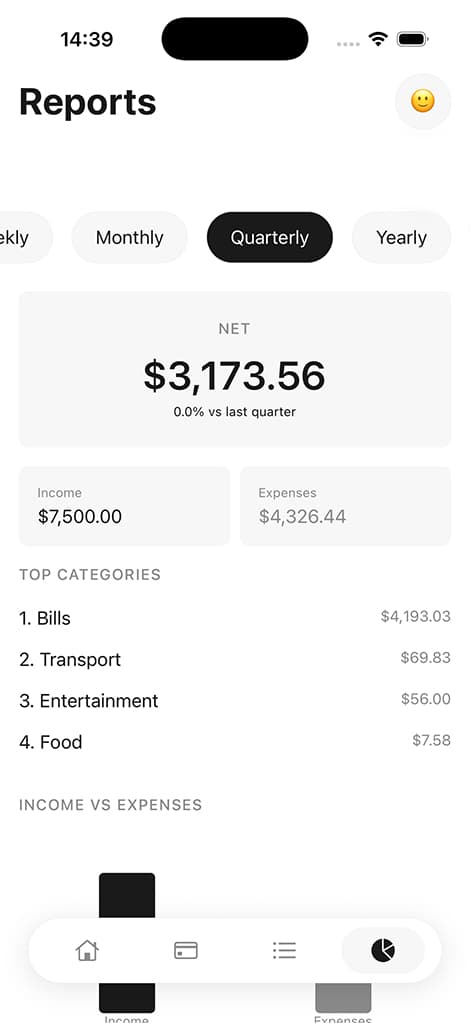
Reports
Income vs. expenses, category breakdowns, trends, and period-over-period comparison.
Also included
Multi-currency support, live asset prices, offline storage, and more — no add-ons required.
Per-account currencies, default currency for totals, ECB rates via Frankfurter.
Live crypto prices (CoinGecko) and stock prices (Yahoo Finance).
Display name, avatar, and a Pro star badge. Change the home screen icon, toggle dashboard cards, and rate the app.
Offline-first SQLite storage with optional iCloud sync across Apple devices.
Face ID, Touch ID, or passcode app lock; sign in with Apple or Google.
Shortcuts lists Log Transaction for everyone. Saving an Apple Pay expense requires Pro.
Light and dark mode, iPad layout, onboarding, haptics, draggable + button, empty states.
Pricing
No ads, no bank linking, and no hidden tiers. Choose monthly, yearly, or lifetime Pro when your finances grow.
$0
forever
Everything you need to start tracking manually — private, offline-first, and without bank linking.
$1.99
per month
Unlock unlimited accounts, the Home Screen widget, alternate icons, and iCloud sync — monthly, yearly, or lifetime.
| Feature | Free | Pro |
|---|---|---|
| Manual transaction tracking | Included | Included |
| Automatic transaction tracking for Apple Pay | Not included | Included |
| Swipe to delete transactions and categories | Included | Included |
| Pull to refresh | Included | Included |
| Offline-first local storage | Included | Included |
| Built-in amount calculator | Included | Included |
| Face ID / passcode app lock | Included | Included |
| Light & dark mode | Included | Included |
| No ads | Included | Included |
| No bank linking | Included | Included |
| Accounts | 2 | Unlimited |
| Account sorting | Included | Included |
| Tracked subscriptions | 3 | Unlimited |
| Category filters | Included | Included |
| Multi-currency tracking | Included | Included |
| Basic reports | Included | Included |
| Advanced reports | Not included | Included |
| Optional iCloud sync | Not included | Included |
| Home Screen widget | Not included | Included |
| Alternate app icons | Not included | 16 |
| Pro avatar badge | Not included | Included |
Monlio Pro is purchased inside the app through the App Store. Monthly and yearly plans auto-renew until you cancel. Price may vary by region. Restore purchases anytime with the same Apple ID.
About Monlio
“A minimal personal finance app for tracking money across currencies and asset classes — without bank linking or clutter.”
Monlio is built for people who want to understand their finances without handing over bank credentials. You enter transactions yourself, choose your categories, and see the full picture — from everyday spending to crypto and stock holdings — in the currency that matters to you. Simple, private, and designed to stay out of your way.
You enter every transaction. No bank credentials, no hidden imports.
Generous whitespace, SF Pro typography, and a calm interface that stays out of your way.
Swipeable dashboard cards, built-in calculator, optional iCloud sync, and Face ID lock on iPhone and iPad.
Clarity without complexity. Download Monlio for iPhone and iPad.